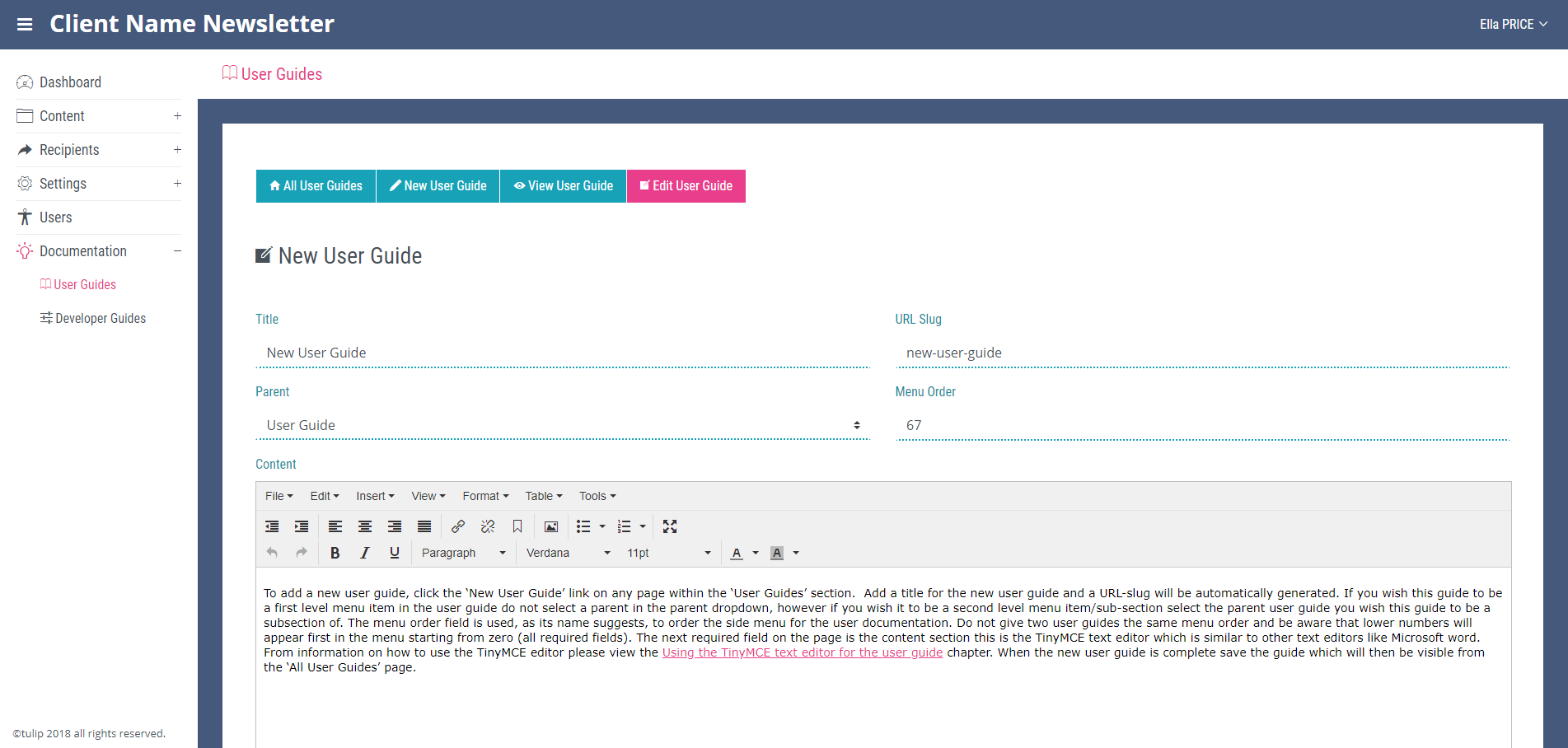
New User Guide
To add a new user guide, click the ‘New User Guide’ link on any page within the ‘User Guides’ section. Add a title for the new user guide and a URL-slug will be automatically generated. If you wish this guide to be a first level menu item in the user guide do not select a parent in the parent dropdown, however if you wish it to be a second level menu item/sub-section select the parent user guide you wish this guide to be a subsection of. The menu order field is used, as its name suggests, to order the side menu for the user documentation. Do not give two user guides the same menu order and be aware that lower numbers will appear first in the menu starting from zero (all required fields). The next required field on the page is the content section this is the TinyMCE text editor which is similar to other text editors like Microsoft word. For information on how to use the TinyMCE editor please view the Using the TinyMCE text editor for the user guide chapter. When the new user guide is complete save the guide which will then be visible from the ‘All User Guides’ page.