Deleted Mailing Lists
Restoring Deleted Mailing Lists
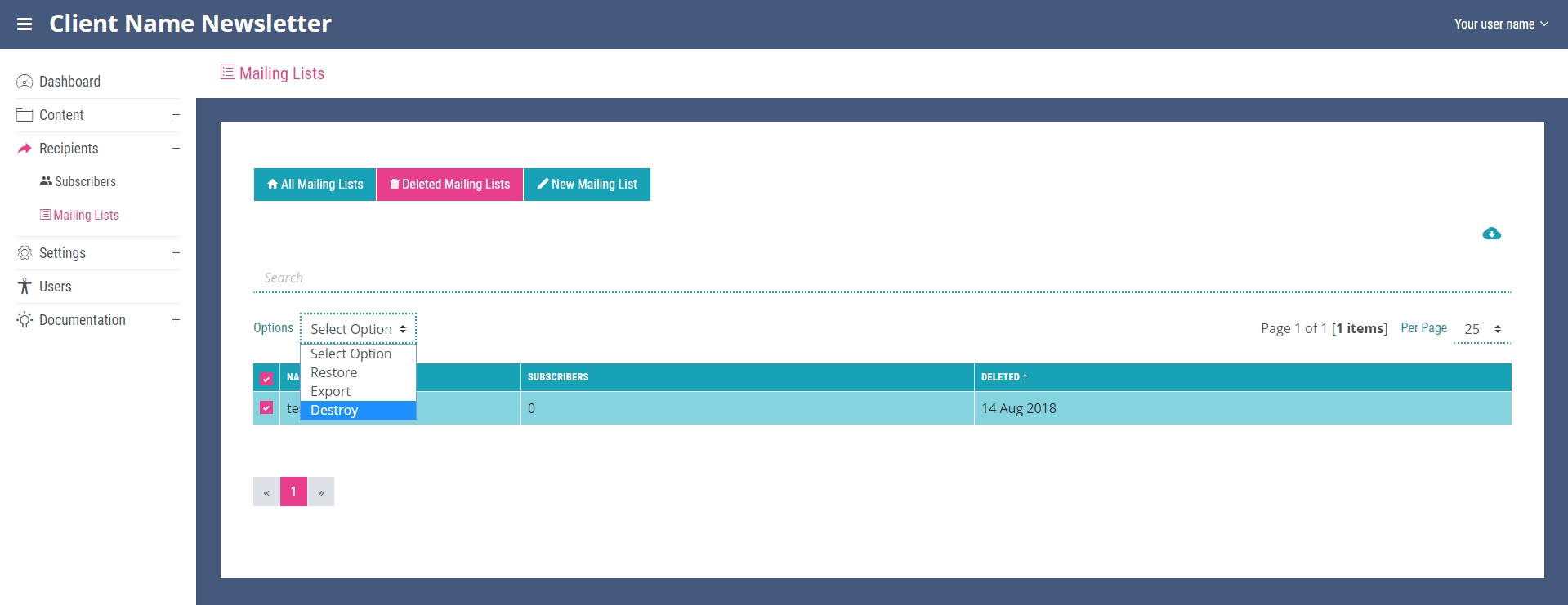
Any deleted mailing lists will be stored in the system on the ‘Deleted Mailing Lists’ page. This means if you would like to restore a deleted list it can be done by navigating to the bottom of the table on the ‘All Mailing Lists’ page and clicking the ‘Deleted Items’ link (this will only be visible if there are deleted mailing lists present). This opens the ‘Deleted Mailing Lists’ page. Here you can select the mailing list you wish to restore by checking the box it the first cell of that mailing lists table row and then selecting ‘restore’ in the options dropdown at the top of the table.
Apparent Errors Caused by Deleted Mailing Lists
Any deleted mailing lists stored in the system will prevent other mailing lists being created with the same name as the deleted item. It is therefore important to destroy any mailing lists in ‘Deleted Mailing Lists’ that you know are unwanted. Destroying an item will permanently delete all record of it from the system and will make it unable to be restored. This can be done in the ‘Deleted mailing Lists’ page. Select the items you wish to destroy and then select ‘Destroy’ in the options dropdown at the top of the table.