Frontend Apperance and Email Uses
Email Uses
The email contents section can be used in conjunction with your emails if you need a feature to store text in organised sections that may not fit on your email. The idea behind using email contents is to link from your email to the contents. For example, if you wished to send a news update email containing several articles, a summary of each article may be placed in the email along with a read more link leading to the full article contained on your email contents page.
Frontend Apperance
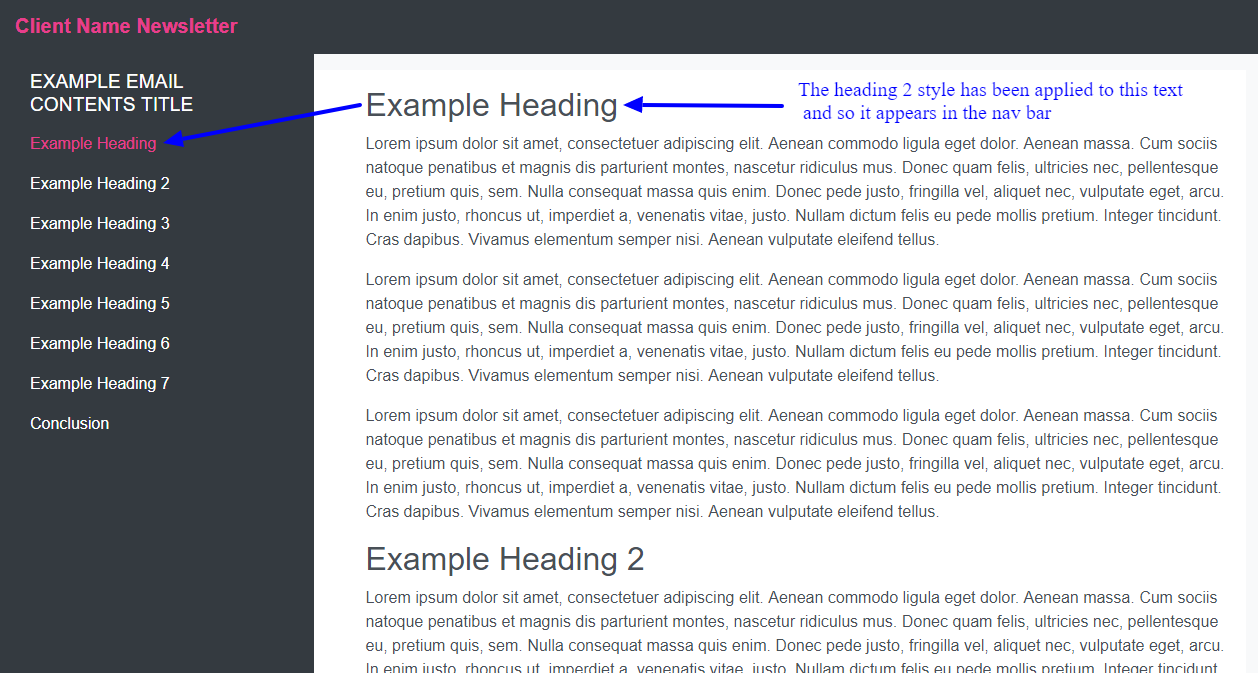
When using Email contents, it is important to know that any heading with style heading 2 will appear in the left hand nav bar and act as an anchor link to that section on the page. The formats option shows different heading and paragraph styles that can be selected and used in the content. It is useful to remember that heading two can be used to add the menu items in the left hand nav bar. Any text with given heading two will appear here. For more details about adding new heading please view the Using the TinyMCE Editor for Contents chapter.