All Subscribers
Contents of the All Subscribers Page
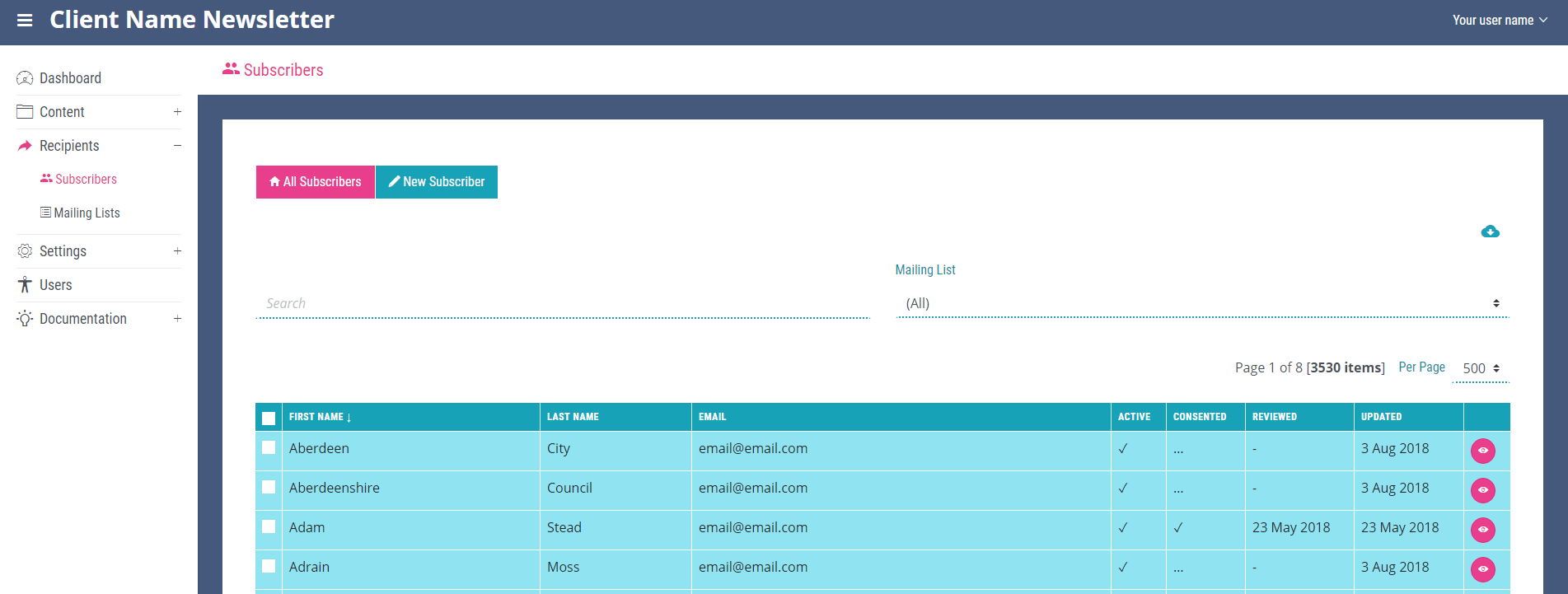
The ‘All Subscribers’ page is the main page of the ‘Subscribers’ section and displays all subscribers in a table containing the subscribers first name, last name, email, if the subscriber is active or not, if they have consented to be contacted via email by your company, when their data was last reviewed, when their data was last updated and the eye icon which is the link to the ‘View Subscriber’ details page.
The View Subscriber Page
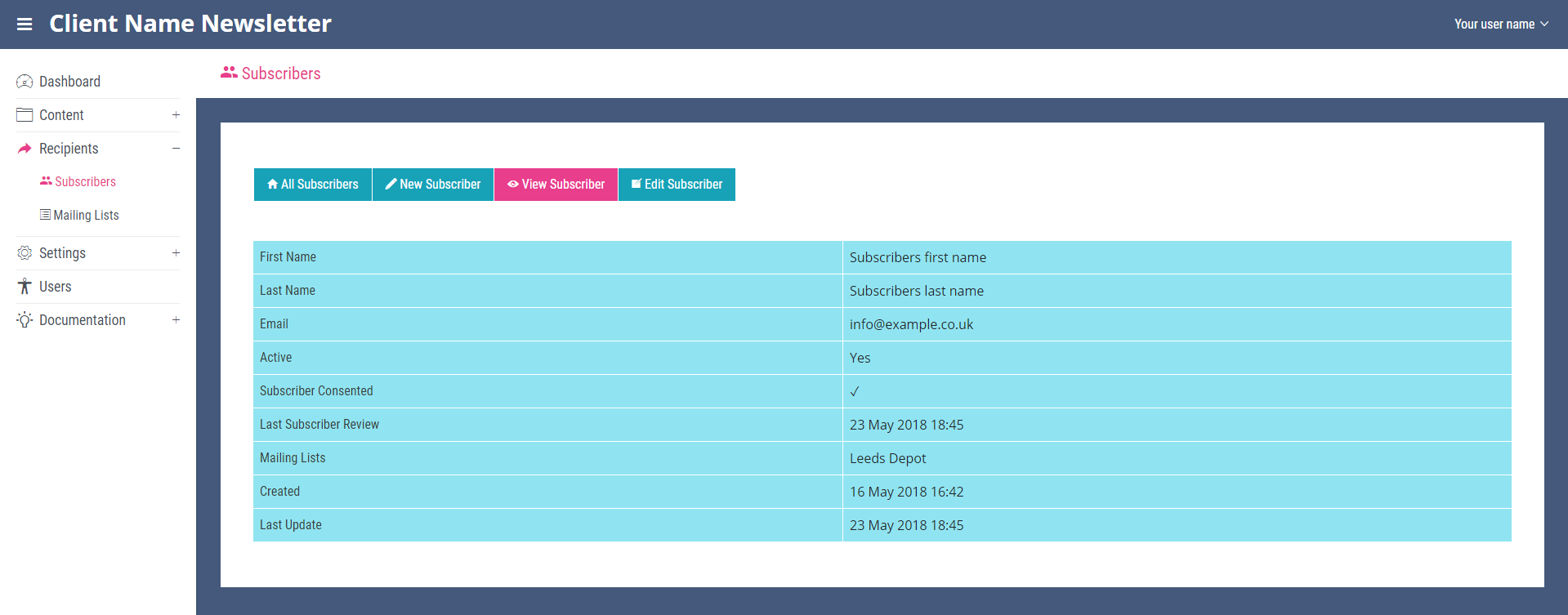
More details about the subscriber can be seen on this page which also contains the link to the 'Edit Subscriber' page. All pages within the ‘Subscribers’ section contain a link to create new subscribers.
Exporting the Contents of the Page
Clicking the small cloud icon located in the top right-hand corner of the ‘All Subscribers’ page will export all of the items on the page as an excel spread sheet. The icon will open a file explorer window allowing you to rename and then save the exported file.

Searching all Subscribers
The ‘Search’ and ‘Mailing List’ filter bars at the top of the page can be used to search the subscribers stored in the system. Enter a search term and click enter to find a specific subscriber. To filter select a mailing list from the drop down, which will update the table to only show contacts subscribed to the chosen list.
View
The number of items displayed on each page can be altered with the per page drop down located on the right of the page next to the page number and total number of results.
Bulk Actions
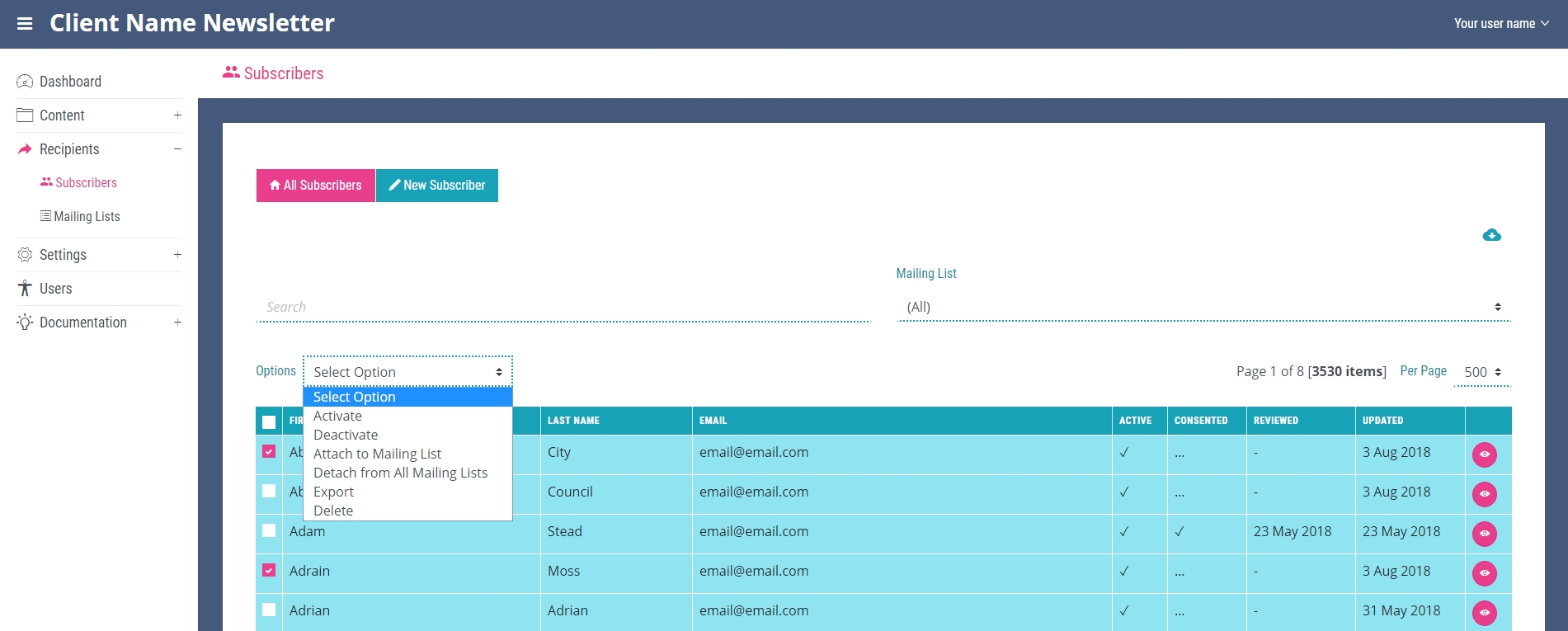
After selecting the check box in the first cell of a subscriber’s row on the ‘All Subscribers’ page, the options drop down will appear at the top of the table. This contains several options including:
- Activate – active subscribers will receive mail sent to any mailing lists they are subscribed to
- Deactivate – deactivated subscribers will not receive mail sent to mailing lists they are subscribed to
- Attach to mailing list – subscribe this subscriber to a new mailing list
- Detach from all mailing lists – unsubscribe subscriber from all their subscribed mailing lists
- Export – export all selected subscribers
- Delete – delete all selected subscribers