Delete Mailing Lists
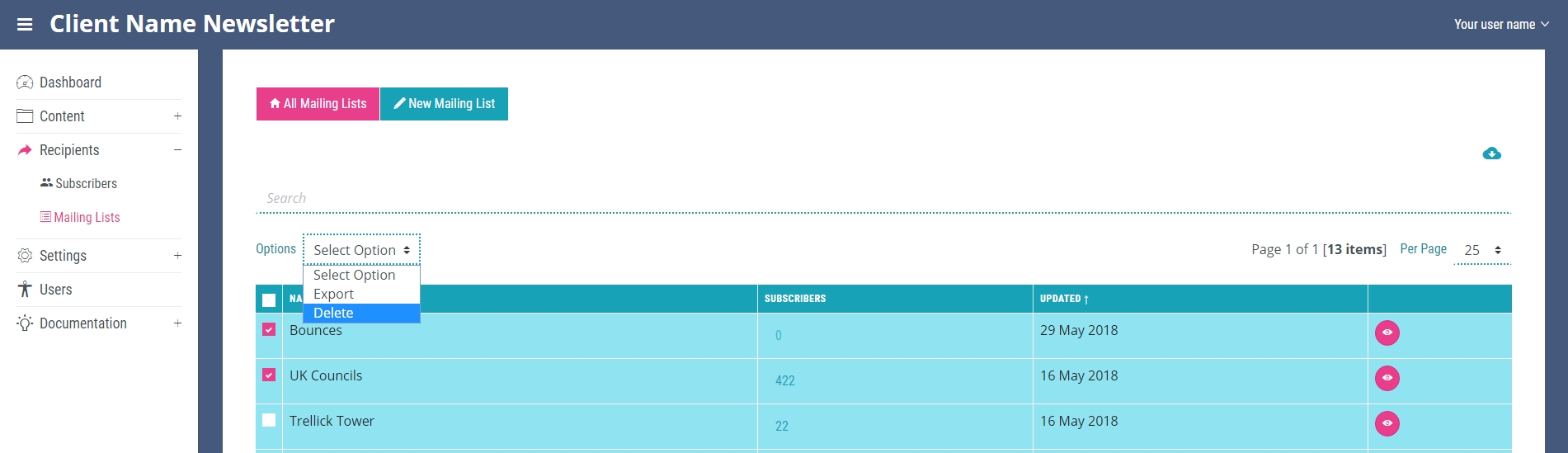
To delete a mailing list, navigate to the ‘All Mailing Lists’ page. In the first column of the table containing the mailing lists there is a check box for each mailing list. Check the boxes of the mailing lists you wish to delete. Navigate to the options dropdown at the top of the table and select delete.
Deleting a mailing list can also be done from the edit mailing list page, see the Edit Mailing List chapter for more details.